If you run Dell Data Domain at both production and DR, Veeam Backup & Replication v13 gives you a cleaner way to keep that secondary copy in sync: Managed File Replication (MFR) through the new Storage Copy Job.
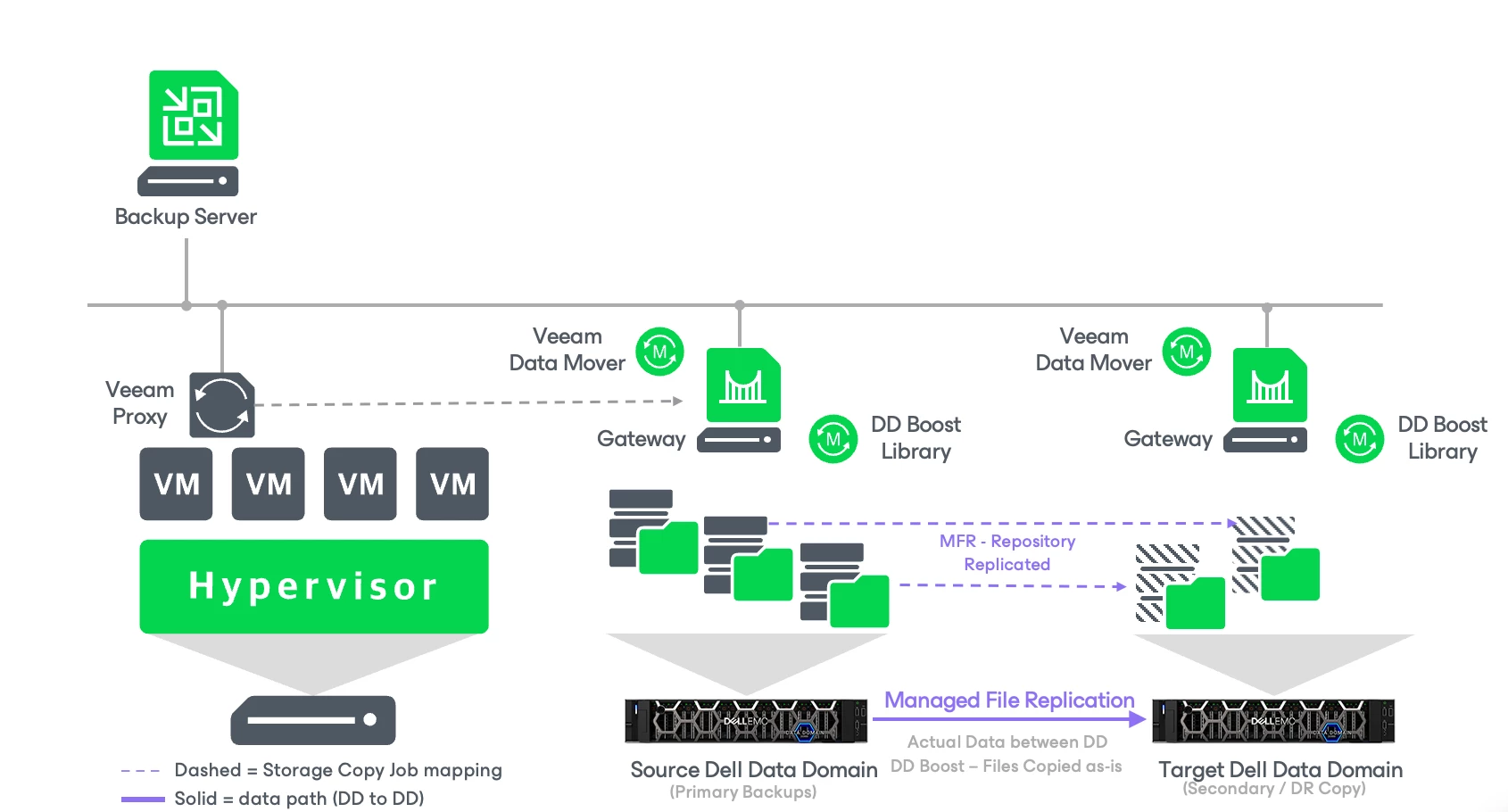
Instead of pushing data through the regular backup copy path, MFR uses DD Boost to move backup files server-side between Data Domain systems. Files land on the target exactly as they’re stored on the source: no transformation, and no staging through the Veeam gateway server for processing.
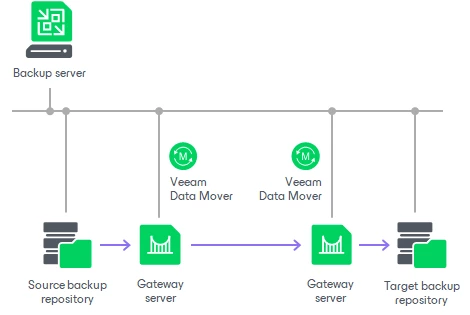
The Older Mode by going through Copy job and Gateway ServersDirectly Data is replicated between Two Dell Data Domain Appliances
How it works
On its first run, the job copies all existing supported backup files. After that, it’s event-driven: a new backup file appearing on the source triggers the copy.
Before you start: design checks
A few rules will save you a failed wizard or a messy topology later:
Source and target must be supported Data Domain repositories, or scale-out repositories made up only of Data Domain extents.
For scale-out repositories, set the placement policy to Data locality.
No data-flow loops between repositories.
Don’t reuse the same source → target pair across multiple Storage Copy Jobs.
The originating backup jobs must live on the same VBR server as the Storage Copy Job.
Step-by-step configuration
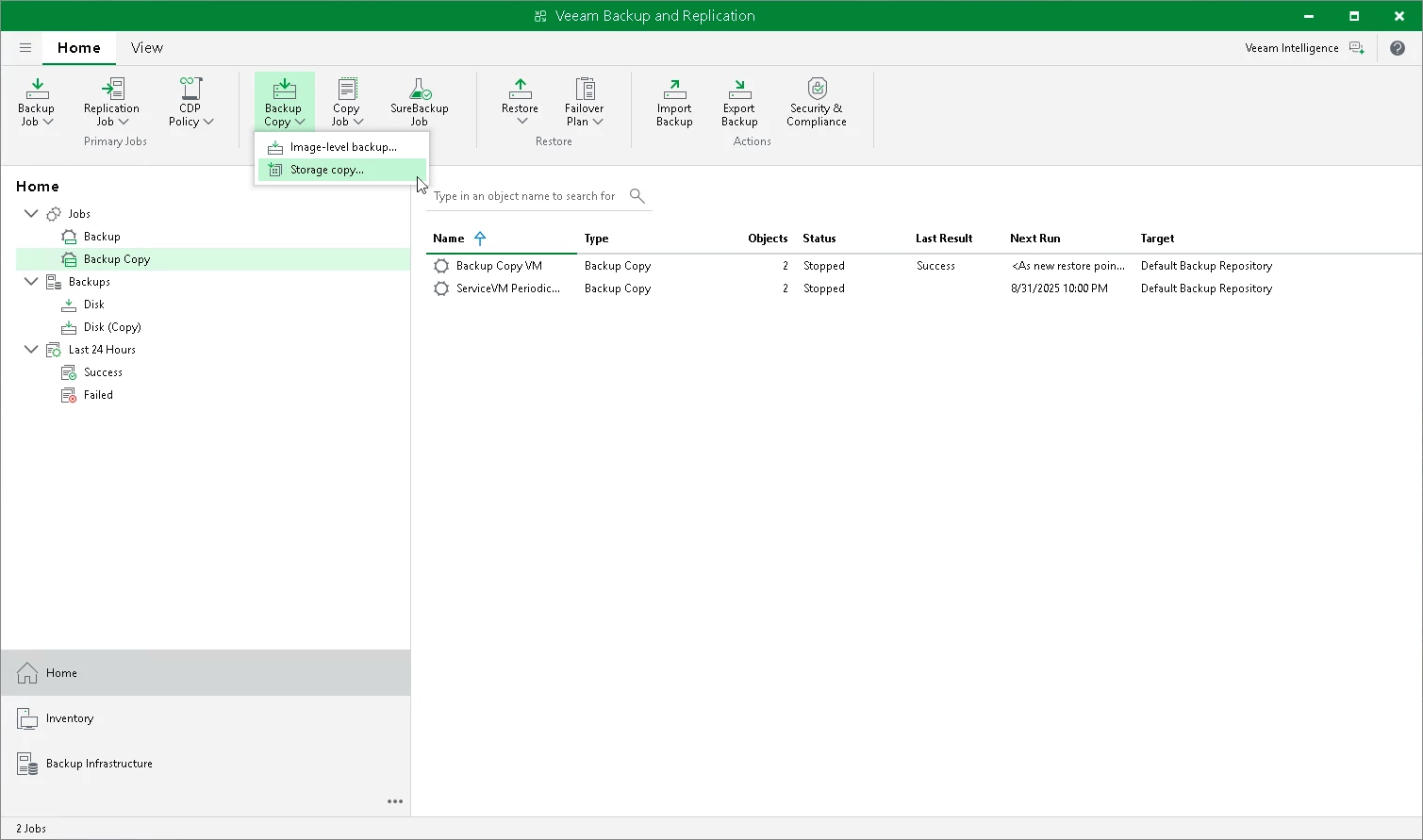
1. Launch the wizard
In the VBR console, start the New Storage Copy Job wizard.
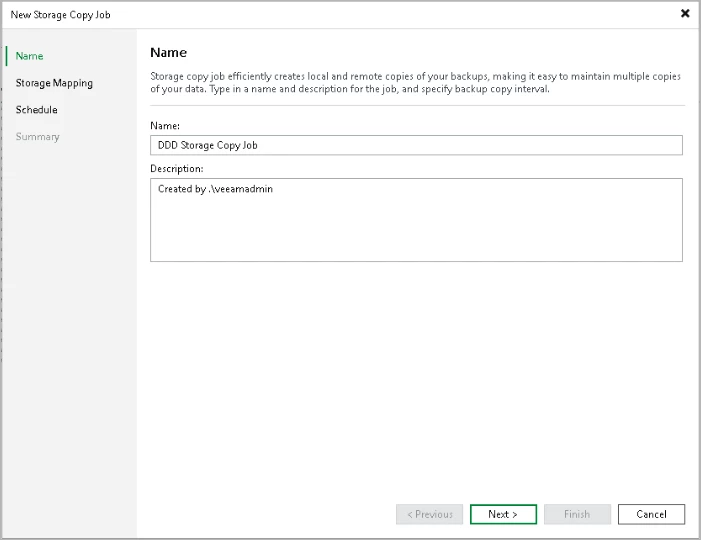
2. Name the job
Use a name that shows the direction of data movement at a glance:
Name:DD-MFR-Primary-to-DR
Description: Storage copy from Production Data Domain to DR Data Domain
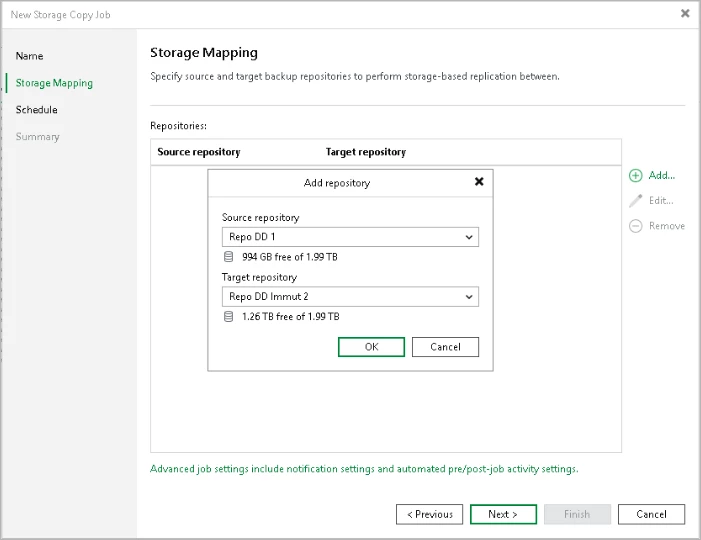
3. Map source and target repositories
At Storage Mapping, click Add, then pick the source and target Data Domain repositories. Unsupported repositories simply won’t show up in the lists, which is a handy sanity check. {Note it is an entire Repository}
4. Set the minimum secondary-copy retention
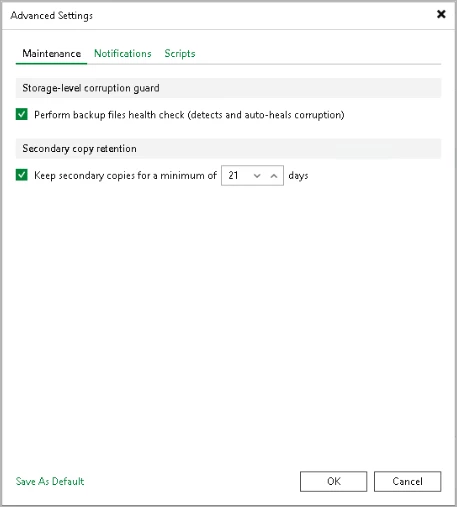
Open Advanced → Maintenance and configure Keep secondary copies for a minimum of.
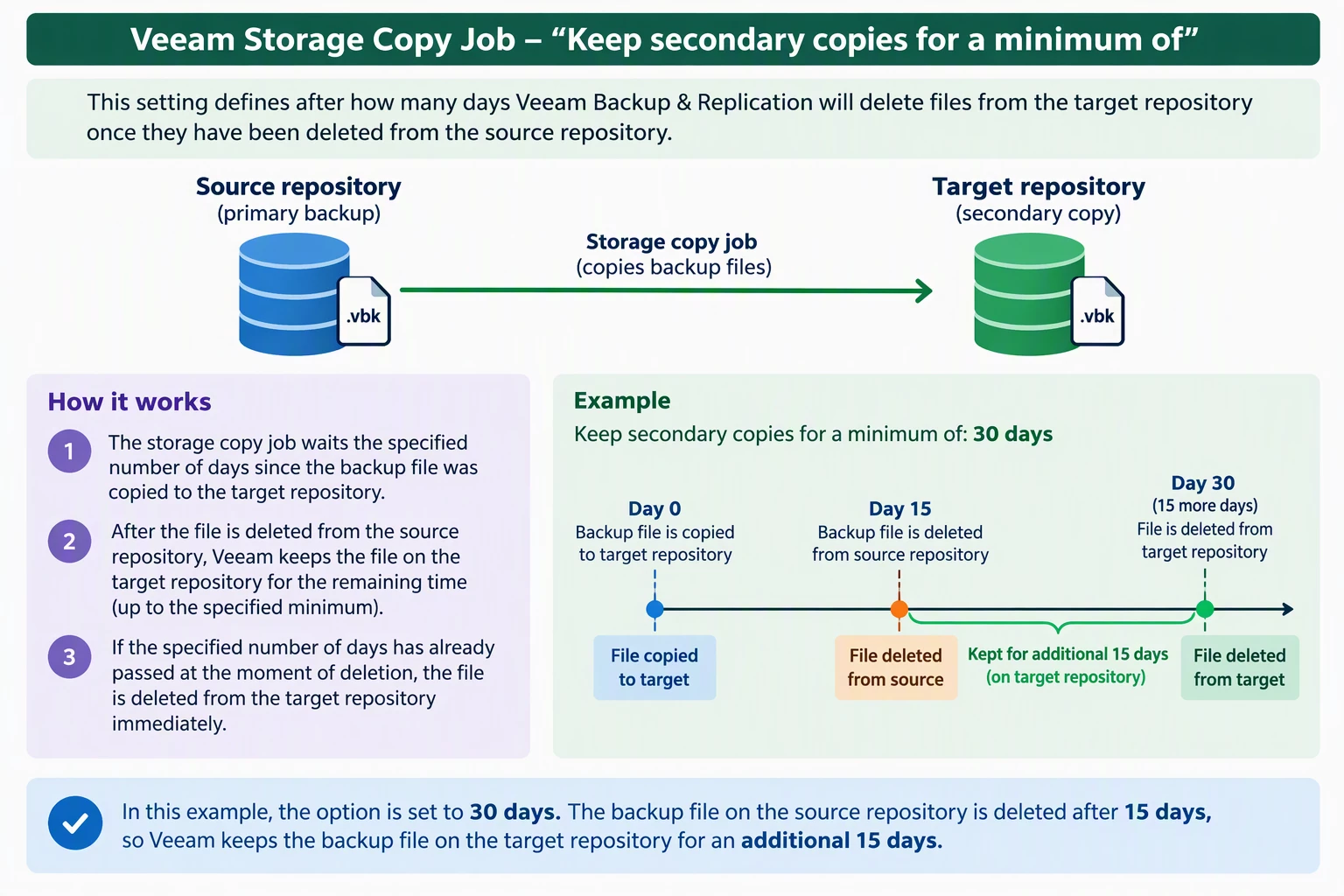
This is the setting people most often misread, so here’s the logic:
The clock starts when the file is copied to the target.
When the file is deleted from the source, Veeam keeps the target copy until that minimum age is reached.
If the minimum age has already passed at the moment of source deletion, the target copy is removed immediately.
Example: minimum set to 30 days:
Day
Event
0
Backup file copied to target
15
File deleted from source by source retention
15–30
Target keeps the file for 15 more days
30
Target copy becomes eligible for deletion
⚠️ Data Domain note: the health-check option on this same tab applies to HPE StoreOnce only. Data Domain repositories don’t support it, so plan your integrity verification another way.
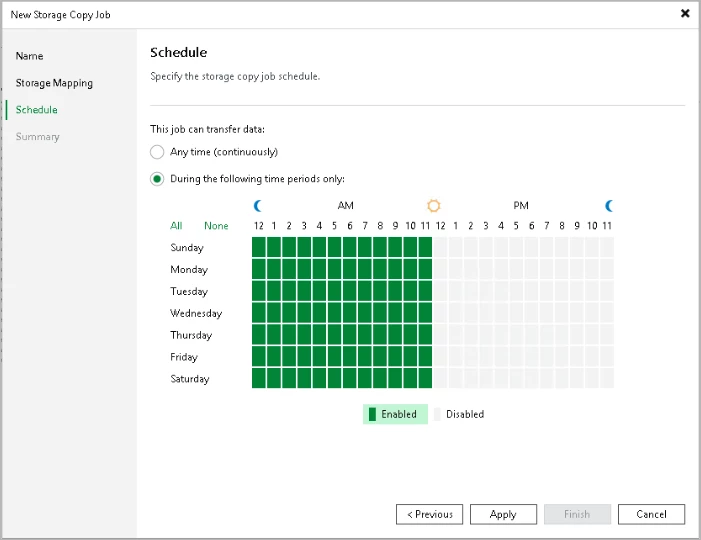
5. Define the copy window
Set when the job is allowed to move files, for example outside production backup windows or during off-peak WAN hours.
6. Review and finish
Double-check the job name, source and target, retention, copy window and replication direction, then finish the wizard.
MFR Storage Copy Job vs. regular Backup Copy Job
MFR Storage Copy Job
Regular Backup Copy Job
Scope
Per repository: maps a source repo to a target repo and copies all supported backups on it
Per job: you choose which backup jobs or workloads to copy
Primary use
DD↔DD (or StoreOnce↔StoreOnce) secondary copies
General backup-copy workflows, any supported repository
Data movement
Storage-side via DD Boost
Standard Veeam data path
File handling
Files copied as stored, no transformation
Creates backup files per job configuration
Gateway processing
No intermediate staging for processing
Uses Veeam data-processing components
Retention
Follows the source job’s retention, with a configurable minimum age for target copies
Can have its own independent retention, including GFS
Best fit
Data Domain–standardized prod + DR
Mixed targets or broader retention needs
What you gain
Storage-native efficiency: DD Boost handles the movement between Data Domain systems.
Exact copies: the target holds the same files as the source.
Simpler DR architecture: one Veeam-managed workflow for the secondary copy.
Deletion safety net: minimum retention keeps target copies from disappearing the moment the source ages them out.
Gotchas to plan for
Not every backup type is supported: transaction-log backups are not copied.
Imported and orphaned backups are out of scope.
Backup Copy Job sources need GFS: to copy backups created by regular Backup Copy Jobs, those jobs must have GFS retention enabled.
Same-server requirement: source jobs and the Storage Copy Job must be on one VBR server.
No health check on Data Domain.
Topology discipline: no loops, no duplicate source→target pairs.
Bottom line
If you’re already standardized on Data Domain at both sites, MFR is the more storage-native way to keep a DR copy: DD Boost does the heavy lifting, files arrive untouched, and the minimum retention setting gives you a buffer against premature deletion. Before rollout, check which backup types you need covered (especially log backups), confirm repository compatibility, and pick a minimum retention that matches your recovery and deletion policies.









Leave a Reply